Why Most Service Businesses Lose Customers Before the First Appointment, and the Confirmation Workflow That Fixes It
Most service businesses lose customers between form submission and first appointment. Learn the multimodal confirmation workflow (email + SMS) that stops rev...
Why Most Service Businesses Lose Customers Before the First Appointment, and the Confirmation Workflow That Fixes It
You spent $200 on a Google Ad. Someone clicked. They filled out your form. They booked an appointment.
And then... nothing.
No confirmation email. No text message. No next steps. Just a blank screen and a vague hope that someone from your team will eventually reach out.
In the web development world, there's a term for this: a 404 error. The page doesn't exist. The connection is broken. The user hits a dead end. In customer experience, the equivalent happens every single day at service businesses across the country, and most owners don't even realize it's happening.
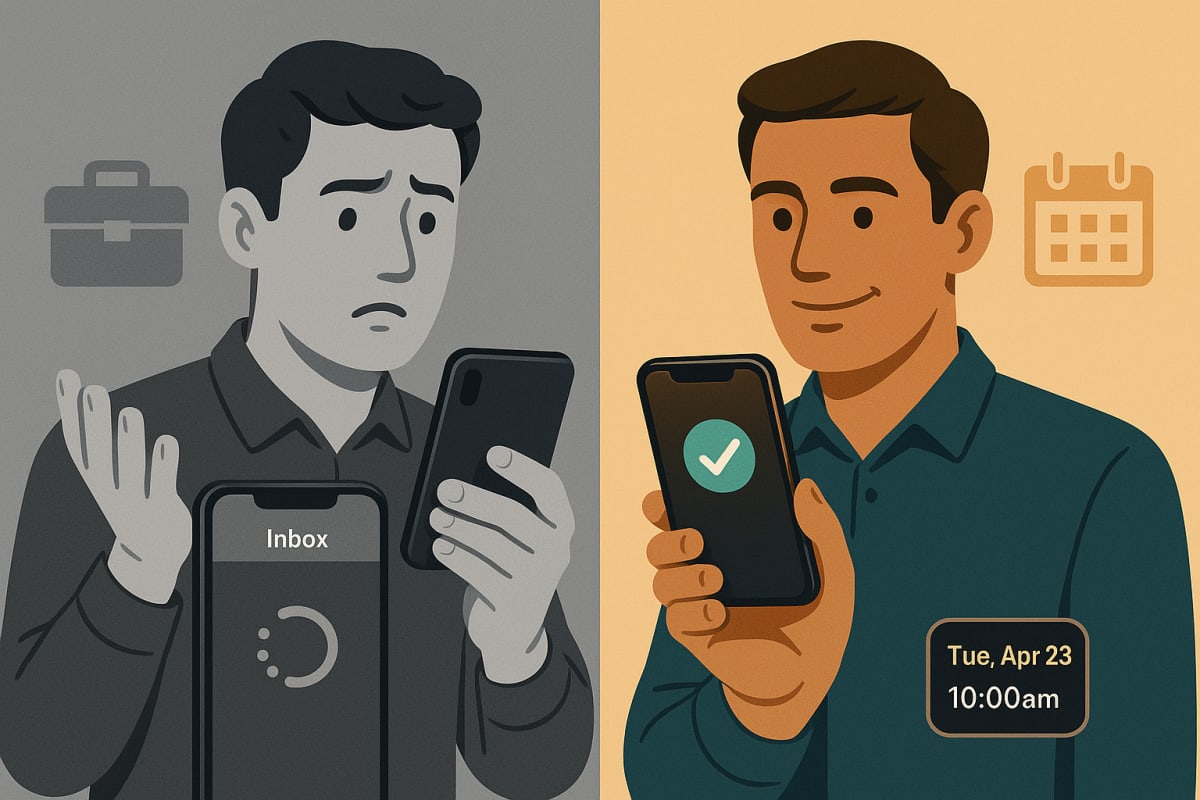
The customer clicks submit, and they enter a void. No receipt. No reassurance. No clear path forward. And in that silence, confidence evaporates. The customer starts second-guessing. They Google your competitor. They call your office to ask if their booking went through, tying up your phone lines. Or worse, they simply disappear.
This is the 404 error of customer experience. And it's costing service businesses far more than they think.
Here's what you need to know, and exactly how to fix it.
The Moment Most Service Businesses Lose the Customer
Let's be honest about something: most businesses that we run across are still doing nearly everything manually. And it shocks me every time I see it.
Think about that for a moment. We're in 2026. AI agents can schedule appointments, process payments, and handle entire customer conversations. Yet the majority of local service businesses, HVAC companies, law firms, home health providers, plumbers, consultants, are still manually responding to form submissions, personally replying to social media messages, and hoping someone on the team remembers to send a follow-up email.
The result? A massive gap between the moment a customer expresses interest and the moment they receive any acknowledgment. And that gap is where revenue goes to die.
Why the Gap Exists
It's not malice. It's not even negligence, really. Most service business owners are exceptional at their craft. They're master electricians, brilliant attorneys, gifted therapists. What they're not is marketing automation engineers. Nobody taught them the importance of what happens in the 30 seconds after a form submission.
Here's the typical scenario: A business owner builds a website, adds a contact form or booking widget, and assumes the job is done. They focus on what they know, delivering great service. But the infrastructure between "customer clicks submit" and "customer sits in your office" is either nonexistent or held together with duct tape and good intentions.
Most people get the information that they want, whether that's a scheduled service or a product purchase, and they forget the confirmation and follow-up piece entirely. That forgotten step isn't a minor oversight. It's a structural failure in the customer journey that compounds over time.
What the Customer Actually Experiences
Put yourself in your customer's shoes. They've just searched for "emergency plumber near me" or "family law attorney Fort Lauderdale." They've compared three or four options. They've chosen you. They've filled out your form, shared their contact information, maybe even described their problem in detail.
And then the screen refreshes to a generic "Thank you, we'll be in touch" message. No confirmation number. No timeline. No information about what happens next.
What runs through their mind? Did it actually go through? When will I hear back? Should I call to make sure? Maybe I should book with that other company too, just in case.
That last thought is the killer. The moment a customer hedges their bet by reaching out to a competitor, you've already lost the advantage of being their first choice.
The Hidden Cost of Skipping This Step
The financial impact of a broken confirmation workflow extends far beyond a single lost booking. It's a systemic drag on your entire operation.
When people don't get confirmation emails or next steps sent to them, they lose confidence, which creates support calls and ends up with people calling the phone number on your website or messaging you directly on social media, and really kind of drags down the business as a whole.
Let's break down exactly what that looks like in practice.
Increased Support Call Volume
Every customer who doesn't receive a confirmation becomes a potential inbound support call. If you're booking 20 appointments per week and even half of those customers don't get immediate confirmation, that's 10 unnecessary phone calls your team has to field. At an average of 5-7 minutes per call, that's over an hour of staff time per week, more than 50 hours per year, spent answering the same question: "Did my appointment go through?"
For a business with a small front-office team, that's not just wasted time. It's time stolen from activities that actually generate revenue.
Lost Bookings and Revenue Leakage
Studies consistently show that speed of response is one of the strongest predictors of conversion. A lead that receives a response within five minutes is significantly more likely to convert than one that waits an hour. When your confirmation workflow is manual, meaning someone on your team has to see the submission, draft a response, and send it, that response time balloons.
Every minute of delay increases the probability that the customer books with someone else. For a home services business where the average job is worth $300-$500, losing even two bookings per week to confirmation gaps adds up to $31,200-$52,000 in annual revenue leakage. That's not a rounding error. That's a full-time employee's salary evaporating because nobody automated a confirmation email.
Eroded Trust and Brand Damage
This is the cost that doesn't show up on a spreadsheet but may be the most expensive of all. A customer who doesn't receive prompt, professional confirmation starts forming opinions about your business before they've ever interacted with a human. If you can't even confirm an appointment, how reliable will the actual service be?
That perception, fair or not, shapes everything that follows. It affects whether they show up for the appointment, how they respond to your pricing, whether they leave a review, and whether they refer you to friends. The confirmation step isn't just operational hygiene. It's the first chapter of your customer's experience with your brand.
The Multimodal Confirmation Workflow That Fixes It
Fortune 500 companies figured this out decades ago. When you book a flight on Delta, you get an email confirmation, a text message with your itinerary, a calendar invite, and push notifications as your departure approaches. That level of communication isn't a luxury, it's the expectation your customers bring to every interaction, including with your local service business.
The good news? You don't need Delta's budget to deliver a similar experience. Here's the confirmation workflow that actually works.
Layer 1: Email Confirmation (Table Stakes)
Email confirmations are the foundation. They're the minimum viable confirmation that every business should have automated, and yet a staggering number still don't.
Your email confirmation should include:
- Appointment date, time, and location (or virtual meeting link)
- What to expect, a brief description of what will happen during the visit or call
- What to bring or prepare, any documents, access requirements, or information the customer needs
- Contact information, a direct phone number or email if they need to reschedule
- A calendar invite attachment,.ics file that adds the appointment to their calendar with one click
The key here is that this email should fire immediately, within seconds of the form submission, not hours. If you're sending confirmation emails manually, you're already behind. Most CRM platforms, booking tools, and even basic form builders like Calendly, HubSpot, or ServiceTitan can trigger automated emails on submission. There's no excuse for this being a manual process in 2026.
Layer 2: SMS Confirmation (The Channel That Actually Gets Read)
Email open rates for transactional messages hover around 40-50%. SMS open rates? North of 95%, with most messages read within three minutes. If you're only confirming via email, you're missing the channel where your customer is most likely to see your message.
Tools like RingCentral and CallRail enable you to send text message confirmations, and even make automated phone calls, triggered by the same form submission event that fires your email. The implementation is straightforward: your booking or CRM system triggers an API call, and the customer receives a text within seconds.
A good SMS confirmation is short and specific:
"Your appointment with [Business Name] is confirmed for [Date] at [Time]. Reply HELP for questions or CANCEL to reschedule. We look forward to seeing you!"
That's it. No links to your blog. No promotional offers. No upsell attempts. Just confirmation.
Layer 3: The Critical Rule, Confirm, Don't Sell
This is where most businesses sabotage themselves. They see the confirmation message as a marketing opportunity. They stuff it with cross-sell offers, promotional codes, social media links, and calls to action that have nothing to do with the appointment the customer just booked.
If the customer has booked an appointment with you, you want to confirm that appointment. Make the message that you send them on whatever channel you send it to them on valuable for the customer and nothing else. Your goal is to get them to a phone call or get them to a technician visit or get them to a consultation.
There will be plenty of time to talk about other products and services during the call and after that call. But you shouldn't try to sell too early.
Think about it this way: a customer who just booked an appointment is in "confirmation mode," not "shopping mode." They want reassurance, not a sales pitch. When you load your confirmation with promotional content, you dilute the very thing the customer is looking for, a clear signal that says "we got your request, here's what happens next, and you're in good hands."
The confirm-don't-sell rule applies across all channels:
- Email: Confirmation details and next steps only. Save the newsletter cross-sell for after the appointment.
- SMS: Appointment details and a way to reschedule. Period.
- Automated calls: If you use voice confirmation, script it to cover the appointment details and nothing more.
What a Complete Workflow Looks Like in Practice
Let's walk through a concrete example. Sarah runs a med spa in Fort Lauderdale. A new customer visits her website and books a consultation for Botox treatments.
Within 10 seconds of submission:
- An automated email fires with the appointment details, what to expect during the consultation, parking information, and a calendar invite attachment.
- An SMS hits the customer's phone: "Your consultation at [Med Spa Name] is confirmed for Thursday, June 19 at 2:00 PM. Reply C to confirm or R to reschedule."
24 hours before the appointment:
- A reminder SMS: "Reminder: Your consultation is tomorrow at 2:00 PM. Please arrive 10 minutes early to complete intake paperwork."
- A reminder email with the same information, plus a link to fill out intake forms online ahead of time.
2 hours before the appointment:
- A final SMS: "See you at 2:00 PM today! Our office is at [address]. Free parking available in the rear lot."
Notice what's absent from every single one of these messages: promotional offers, upsells, review requests, social media follows, or referral program pitches. Every message serves one purpose, getting Sarah's customer to that consultation chair, confident and prepared.
The selling happens in person, during and after the consultation, when the customer is engaged, informed, and ready to discuss options. Not in a confirmation text.
The Implementation Checklist for Service Businesses
If you're currently handling confirmations manually, or worse, not handling them at all, here's a practical checklist to build your workflow from the ground up.
Technical Foundation
- Booking tool with automation triggers, Calendly, Acuity, ServiceTitan, HousecallPro, or your CRM's native scheduler. The tool must support automated email on submission.
- SMS delivery platform, RingCentral, CallRail, Twilio, or your CRM's built-in SMS feature. Must support triggered messages from booking events.
- Email deliverability, Use a verified sending domain with proper SPF, DKIM, and DMARC records. Confirmation emails that land in spam are worse than no email at all.
Message Content
- Email template: Appointment details, what to expect, what to prepare, contact info, calendar attachment. Clean, branded, mobile-responsive.
- SMS template: Date, time, one-line summary, reply options for confirm/reschedule. Under 160 characters when possible.
- Reminder sequence: 24-hour and 2-hour reminders via SMS. 24-hour reminder via email.
Rules of Engagement
- Zero promotional content in any confirmation or reminder message
- Immediate delivery, all confirmations fire within seconds, not minutes
- Easy reschedule path, every message includes a clear way to change the appointment
- Consistent branding, use your business name, not a generic "noreply" address
What To Do Now
Here's your action plan, broken down by timeframe.
This Week
- Audit your current confirmation flow. Book a test appointment on your own website. What happens? Do you get an email? A text? Nothing? Time how long it takes to receive any confirmation. If it's more than 60 seconds, or if nothing arrives at all, you've found your first priority.
- Check your email deliverability. Send a test confirmation to a Gmail, Outlook, and Yahoo account. Does it arrive in the inbox or spam? If it hits spam, your sending domain needs attention.
- Write your confirmation templates. Draft one email template and one SMS template. Follow the confirm-don't-sell rule. Focus exclusively on appointment details and next steps.
This Month
- Implement automated email confirmations. If your booking tool supports it, turn on automated confirmation emails. If it doesn't, connect your booking tool to your CRM or email platform using a simple integration (Zapier, Make, or native integrations).
- Add SMS confirmations. Set up a RingCentral, CallRail, or Twilio account. Build an automated trigger that sends an SMS on every new booking. Test it end-to-end.
- Build your reminder sequence. Add 24-hour and 2-hour reminder messages. Track no-show rates before and after implementation, this is your proof of ROI.
This Quarter
- Measure and optimize. Track three metrics: no-show rate, inbound support calls related to booking confirmation, and customer satisfaction scores (even informal ones). Compare against your pre-workflow baseline.
- Expand the workflow. Once your confirmation sequence is solid, extend the multimodal approach to post-appointment follow-up, thank you messages, review requests, and re-booking prompts. This is where you can start introducing other services and offers, after the customer has experienced your value firsthand.
- Evaluate your entire lead lifecycle. The confirmation workflow is just one piece. Look at every step from first click to referral and identify where else the manual gaps exist. Consider whether AI-powered agents or more sophisticated automation could eliminate additional friction points.
The Bottom Line
The gap between "customer submits a form" and "customer receives confirmation" is where service businesses silently lose revenue, trust, and time. A multimodal confirmation workflow, email plus SMS, delivered instantly, focused entirely on the customer's needs, closes that gap and transforms a moment of uncertainty into a moment of confidence. It's not complicated, it's not expensive, and it's not optional anymore.
Want to see where your business is losing customers in the gap between interest and appointment? Get a free workflow audit from GTM37 and we'll map every step of your lead lifecycle, from first click to first referral, and show you exactly where the leaks are.